Competitive intelligence teams have gotten good at watching the human-facing web. Pricing pages, changelogs, job boards, review sites, press pages: all covered, all tracked, all noisy.
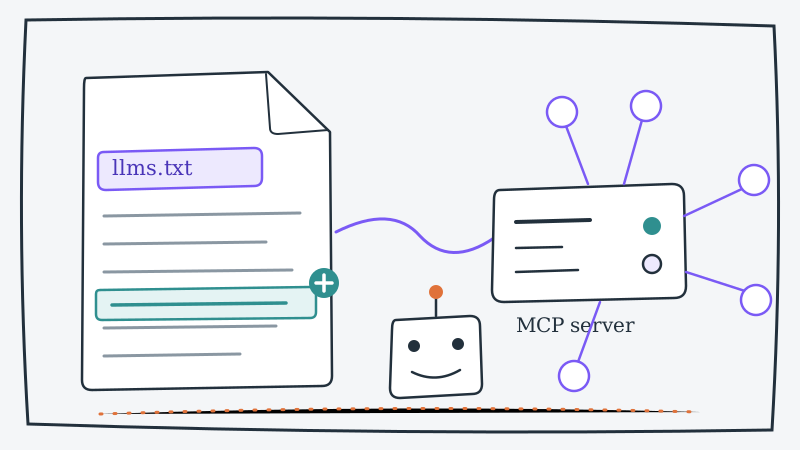
Meanwhile a second surface has appeared on most B2B websites in the last two years, and almost nobody is watching it. It is the part of the site written for machines: an llms.txt file that tells language models what the company does, and an MCP endpoint that lets AI agents actually call the product. These files get shipped by engineers, not marketers. They are rarely announced. And because they are written to be read by software, they are unusually blunt about what the product is and what it can do.
That bluntness is the opportunity. A competitor’s llms.txt is the most honest positioning document they publish, and their MCP server is a machine-readable inventory of their feature set. This guide covers where to find both, what each change means, and how to watch them without turning it into a daily chore.
What these two surfaces actually are
llms.txt is a convention, modeled loosely on robots.txt, where a site publishes a plain-text summary of itself for large language models: what the product is, what it does, who it is for, and which URLs matter. It usually lives at /llms.txt, sometimes with a longer companion at /llms-full.txt. Because it exists to be ingested by an LLM rather than skimmed by a buyer, it strips out the marketing hedge. No hero animation, no vague category language, just a list of capabilities in order.
MCP (the Model Context Protocol) is the emerging standard for exposing an application’s functionality to AI agents as a set of callable tools. A company that ships an MCP server is publishing, in effect, a manifest: here are the operations an agent can perform against our product. For a public remote server, that tool list is often discoverable.
Put together, the two files answer the two questions that normally take a quarter of competitive research: what does this product really do, and how seriously is this company building for an agent-driven world?
Why the first appearance of either file is a signal
The day an llms.txt shows up on a competitor’s domain is a dated, public commitment. It means someone internally argued that LLM visibility matters enough to own, and won. In practice that correlates with a few things worth knowing.
- A real AI roadmap, not a press release. Marketing teams talk about AI long before engineering ships it.
llms.txtand MCP endpoints are built by engineers who have been given the time, which means the investment is already funded. - A shift in how they expect to be discovered. A company optimizing for model citations rather than blue links is anticipating buyers who research through assistants. That changes which channels they will attack next.
- A developer or platform motion. MCP servers usually arrive alongside API keys, scopes, and docs. If a competitor who has only ever sold a closed SaaS app suddenly ships one, they are opening up, and probably chasing a different buyer.
The same logic applies in reverse. A competitor still serving nothing at /llms.txt in late 2026 is telling you they have not prioritized this, which is useful if you have.
Where to look: a nine-URL checklist
Run this against every competitor once, write down what you find, and you have a baseline to diff against later.
https://competitor.com/llms.txthttps://competitor.com/llms-full.txthttps://docs.competitor.com/llms.txt(docs sites often ship one first)https://mcp.competitor.com(the most common subdomain pattern for a remote MCP server)https://competitor.com/.well-known/listings, where some servers advertise discovery metadata- The docs site search for “MCP,” “agent,” “tool,” and “OAuth”
- The developer or API page in the main nav, which is usually where an MCP server gets announced if it gets announced at all
- The npm and PyPI registries for the company’s org name, where self-hosted MCP packages are published
robots.txt, which sometimes reveals an agent-facing path before anything links to it
Items four and eight are the ones most teams miss. A remote MCP subdomain frequently goes live weeks before the docs mention it, which makes it one of the earliest tripwires available. If subdomain discovery is new to you, our guide on how to monitor competitor subdomains to detect new products early covers the mechanics that apply here too.
How to read the contents, not just the existence
Once the file is there, the detail is where the intelligence lives.
The capability list and its order
An llms.txt typically opens with a one-paragraph description followed by a “what it does” list. That list is a ranked statement of what the company believes its product is. Compare it against their homepage. When the two disagree, the llms.txt is usually ahead, because it gets updated by whoever is closest to the product rather than by whoever owns the brand guidelines.
For a worked example of the format, CAM publishes its own at getcam.io/llms.txt: a short description, a capability list, the segments it serves, and the canonical URLs. Read a competitor’s equivalent and you will learn more about their actual scope in two minutes than from an hour on their marketing site.
The URL list
Most llms.txt files end with a set of key links. Those links tell you which pages the company considers load-bearing. A new comparison page appearing in that list before it appears in the site nav is a direct statement about who they now consider a threat. A new integration URL is a partnership they have decided to lead with.
The tool count and tool names on an MCP server
If a competitor exposes a remote MCP server, the tool list is the sharpest feature inventory you will ever get. Tool names are written for machines, so they describe operations literally. Twelve tools that all read data means a reporting integration. Forty tools that read and write across objects means they are building for agents to operate the product, not just query it.
The scale tells you about commitment. CAM’s own remote MCP server at mcp.getcam.io exposes 33 tools covering dashboard stats, connection search, account intelligence, priority-scored activity, and lead list management, with Claude connecting through an OAuth custom connector and scripts using an API key. The developer documentation lays out that shape, and it is the same shape worth looking for on a competitor: how many tools, read or write, and what authentication model.
The authentication model
This one is underrated. An MCP server behind OAuth is built for end users to connect from a consumer assistant. One behind an API key only is built for engineers and internal scripts. Which path a competitor shipped first tells you which buyer they are chasing. Shipping both, as CAM did across its API and MCP surface, signals they expect demand from both directions.
Turning changes into plays
Finding the files once is research. The value compounds when you track the deltas.
Watch the capability list for additions. A new bullet in a competitor’s llms.txt is a feature they have decided to lead with. It lands there before the launch blog in a meaningful share of cases, because the file is maintained as part of the product rather than as part of a campaign.
Watch the tool list for write operations. The jump from read-only tools to write tools is the moment a competitor stops treating agents as a reporting channel and starts treating them as a product surface. That is a strategy change, and it usually precedes a pricing change.
Watch for your own name. Companies list their comparison pages in llms.txt so models surface them. If your brand appears in a competitor’s file, they have built a page designed to be cited when a buyer asks an assistant to compare you. That deserves a same-week response, and our guide to competitor comparison pages targeting you covers how to handle it.
Brief your own team on the gap. If you have an MCP server and two competitors do not, that is a differentiator your reps can demo rather than assert. If the reverse is true, your product team needs to know now, not at renewal season.
Making the monitoring sustainable
These are static text files, which makes them the easiest thing in competitive intelligence to track programmatically and the easiest thing to forget about entirely.
The low-effort version: keep a list of the URLs from the checklist above, fetch each one on a schedule, store the response, and diff it against the previous copy. A scheduled job and a few lines of script will do it. Alert on any change, route it to the channel your product and CI people actually read, and archive every version so you end up with a timeline rather than a snapshot.
Two practical notes. First, filter the noise: some files carry a generated timestamp that changes on every deploy, so diff the capability and link sections rather than the whole document. Second, capture the full body each time. The interesting question six months from now is not “did it change” but “what did they claim in March,” and you cannot reconstruct that without the archive.
Pair the result with the surfaces that confirm it. An llms.txt capability addition plus a changelog or docs change plus movement on their developer portal is three independent confirmations of the same roadmap bet. One of those alone is a hint. All three in a month is a certainty.
The question these files cannot answer
Here is the limit of the whole exercise. Machine-readable files tell you what a competitor built and roughly when they built it. They tell you nothing about who the competitor is selling it to.
That gap matters because the agent strategy becomes a revenue problem the moment their reps start pitching it. Knowing a rival shipped 40 write-enabled MCP tools is interesting. Knowing which of your target accounts their reps opened a conversation with last week is actionable.
That second half is what CAM was built for. CAM monitors the new LinkedIn connections your competitors’ sales reps make, enriches each one with job title, company, industry, size, and location data, scores it against your ICP, and puts the ranked leads in your dashboard after every monitoring run, on a cadence you choose: every 24 hours, 7 days or 30 days. Every new connection is an early signal of an active buying cycle, which means you can reach the account before the competitor’s first demo is booked. The LinkedIn connection tracking breakdown walks through what gets captured, and because connection monitoring syncs into HubSpot, Salesforce, and Clay, the accounts arrive in the tool your reps already work out of.
Used together, the two layers close the loop. The files tell you what the competitor is about to sell. The connection data tells you who they are about to sell it to.
The bottom line
llms.txt and MCP endpoints are the newest public surface in competitive intelligence and currently the least contested. They are published by engineers, written for machines, rarely announced, and unusually honest about what a product does.
Spend thirty minutes running the nine-URL checklist across your competitor set, archive what you find, and put a diff on a schedule. The first time a rival’s capability list grows a bullet or their MCP server grows a write tool, you will know what is coming, and you will have a quarter to decide what to do about it instead of a weekend.