
How to Monitor a Competitor's Subdomains to Catch New Products Before They Launch
Most competitive intelligence work happens after the fact. A competitor ships a product, publishes a press release, or a prospect mentions them on a call, and only then does your team scramble to build a response. By that point the window to shape the deal has already narrowed.
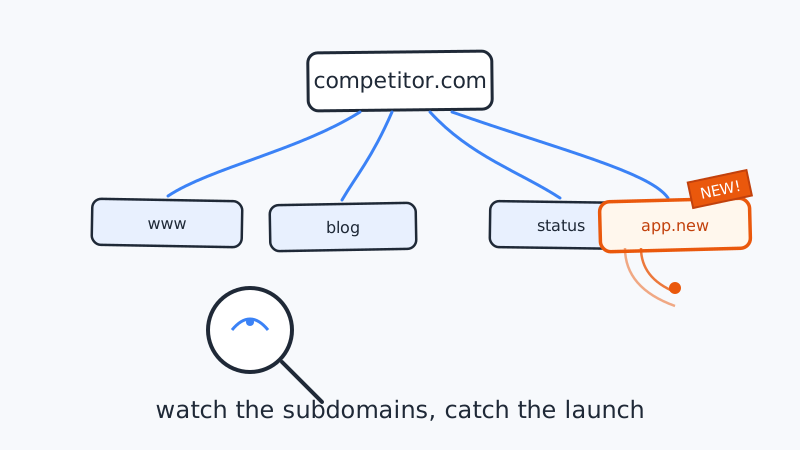
There is an earlier signal, and almost no one watches it: the competitor’s subdomains.
Every new environment a company stands up, whether it is a beta app, a documentation portal, a status page, a partner hub, or the login page for a product they have not announced, usually lives on its own subdomain. Those subdomains often go live weeks before the marketing that promotes them. If you know how to enumerate and monitor them, you get a running feed of what a competitor is building, on infrastructure they set up before they were ready to talk about it.
This guide covers what subdomains reveal, how to discover them, and how to turn a new subdomain into an automatic sales or product signal.
Why subdomains are an early launch signal
A page inside a website ships when marketing is ready. A subdomain, by contrast, tends to appear when engineering is ready, which is almost always earlier. Standing up app.competitor.com, beta.competitor.com, or docs.newproduct.competitor.com is an infrastructure decision that precedes the announcement, the pricing page, and the launch blog post.
That timing gap is the opportunity. A few examples of what new subdomains tend to mean:
- A new product or app surface. A fresh
app2.competitor.comorplatform.competitor.comusually means a rebuild or an entirely new product line is close. - A private beta.
beta.,preview., orearly.subdomains signal something is in testing with a subset of customers before general availability. - Documentation and developer moves. A new
docs.,developers., orapi.subdomain often means they are about to court a technical audience or ship a public API. - An acquisition or partnership. A subdomain hosting a brand you have never seen from this company can be the first public hint of an acquisition or a co-marketing deal.
- Geographic or vertical expansion. Region-coded subdomains like
uk.orde., or segment-coded ones likeenterprise., hint at where they are headed next. - Operational maturity. A new
status.ortrust.subdomain often precedes an enterprise push, since buyers in that segment demand uptime transparency and security documentation.
Because DNS records and certificate logs are public, watching subdomains means reading data the company already exposed to the internet. There is no gated content and no scraping of anything private.
How to discover a competitor’s subdomains
Before you can monitor subdomains, you need a baseline list of what already exists. There are three public sources that, combined, catch the large majority of live subdomains.
1. Certificate transparency logs
Every time a company issues a TLS certificate, it is recorded in public certificate transparency (CT) logs. Because most subdomains get their own certificate, CT logs are the single richest source of subdomain history.
Search a CT aggregator for the root domain and you will get a list of hostnames that have appeared on certificates over time:
https://crt.sh/?q=%25.competitor.comThat query returns every certificate issued for a subdomain of competitor.com, including ones that never got a single inbound link. New entries here are often the very first public trace of a project.
2. DNS enumeration
CT logs miss subdomains that reuse a wildcard certificate. To fill the gap, resolve a wordlist of common subdomain names against the target domain and keep the ones that return a record. Common tools handle this quickly:
# passive sources plus resolution
subfinder -d competitor.com -silent | httpx -silent -status-code

# or brute a wordlist against DNS
dnsx -d competitor.com -w subdomains.txt -silent
Focus your wordlist on the names that carry intelligence value: app, beta, staging, preview, docs, api, status, partners, careers, try, demo, secure, and login.
3. Search and archive footprints
A quick site:competitor.com -www search surfaces indexed subdomains, and the Wayback Machine can confirm when a subdomain first appeared. These are lower yield than CT logs but occasionally catch a subdomain the others miss.
Once you have run all three, dedupe the results into a single baseline list. That list is what your monitoring will watch for changes.
Reading the signal: which subdomains actually matter
A raw subdomain list is noisy. Marketing tools, email vendors, and CDNs all create subdomains that mean nothing competitively. The skill is separating infrastructure plumbing from genuine strategy signals.
A simple triage:
- High signal: anything product-shaped (
app,platform,beta,preview), developer-shaped (api,docs,developers), or trust-shaped (status,trust,security). These map directly to roadmap and go-to-market moves. - Medium signal: region and segment subdomains, careers portals, and partner hubs. Worth noting, especially when they cluster with other changes.
- Low signal: email and marketing automation subdomains (
email,mktg,links), CDN and asset hosts, and anything clearly tied to a third-party SaaS tool.
The strongest reads come from correlation. A new beta. subdomain on its own is interesting. A new beta. subdomain in the same week the competitor posts three senior engineering roles and updates their pricing page is a launch you can plan against. Pairing subdomain monitoring with the rest of your competitive picture is where the real leverage is, which is exactly why teams run it alongside broader monitoring rather than as a one-off check.
Turning subdomain changes into an automatic signal
Manual checks do not scale, and the whole value of this signal is timing. To catch a subdomain the day it appears, you need continuous monitoring that alerts you on change rather than requiring you to remember to look.
A practical setup looks like this:
- Establish the baseline. Store the deduped subdomain list from the discovery step as your known-good snapshot.
- Re-enumerate on a schedule. Run CT-log and DNS checks daily or a few times a week, depending on how fast the competitor moves.
- Diff against the baseline. Any hostname in the new run that is not in the baseline is a candidate signal.
- Filter with your triage rules. Drop the low-signal noise automatically so a human only ever looks at meaningful changes.
- Route the alert. Push new high-signal subdomains into Slack or email, tagged with the competitor and a guess at what the subdomain implies.
- Confirm and act. When an alert fires, load the subdomain, capture what is there, and decide whether it changes a battlecard, a deal, or your roadmap.
This is the kind of always-on change detection that a monitoring platform is built for. Rather than wiring the enumeration, diffing, and alerting together yourself, a tool like CAM can watch a competitor’s web footprint continuously and notify your team the moment something new shows up, so subdomain discovery becomes a standing feed instead of a task someone has to remember. If you want to extend the same watch to specific pages once a new subdomain goes live, CAM’s website monitoring can track those URLs for further changes as the launch develops.
Fitting subdomain monitoring into your GTM motion
A new subdomain is a trigger, not a conclusion. What makes it valuable is the play you run once it fires:
- Sales. A competitor beta or new product surface gives your reps a reason to reach into accounts evaluating that competitor, before the launch changes the conversation. Timing outbound around these triggers is far more effective than generic sequencing, and pairing it with reliable delivery matters, so clean your outreach list with a validation tool like Scrubby before you send into those accounts.
- Product. A wave of developer subdomains tells your team a competitor is moving toward a platform strategy, which should inform how you prioritize integrations and API work.
- Marketing. A new comparison-oriented or vertical subdomain tells you where a competitor is about to compete, giving you time to prepare positioning and content in advance.
- Meetings and demos. When a launch signal turns into a live prospect conversation, get the meeting booked while the intelligence is fresh; tools like Kali help turn that timely outreach into booked demos.
The teams that win competitive deals are rarely the ones with the most information. They are the ones with the earliest information and a habit of acting on it. Subdomains are one of the few signals that are both public and genuinely early, which is what makes them worth building a monitoring habit around.
Getting started
You do not need a large program to begin. Pick your two or three most important competitors, run a certificate transparency search for each, and save the results as your baseline. From there, decide whether you want to maintain the enumeration and diffing yourself or hand the continuous watching to a monitoring tool so alerts land in front of your team automatically. Either way, the moment a competitor stands up something new, you will know, and you will have the head start that competitive selling actually rewards.
Ready to see competitor activity?
See which accounts your competitors are targeting on LinkedIn before you cold-call them.
Book a Walkthrough