
Monitor Competitor Pricing Page Changes to Detect Positioning Shifts
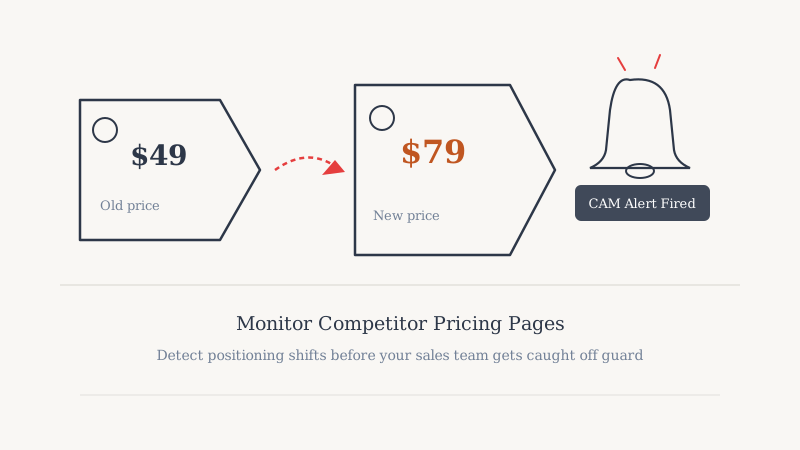
Pricing pages are one of the most strategically loaded pages on any SaaS website. A competitor who adds a new tier, removes a free plan, or quietly raises prices is telling the market something important about their business. Most sales teams find out about these changes from a prospect who already read the competitor’s updated page and is now using it to negotiate.
That does not have to be how you learn about it.
Why Pricing Page Changes Matter for Sales
Pricing is not just a number. When a competitor restructures their tiers, it often signals one of several strategic shifts:
Moving upmarket. Adding an “Enterprise” tier with custom pricing, removing a self-serve option, or locking formerly free features behind a paywall all indicate a push toward larger accounts. If you sell mid-market, that is an opening.
Chasing PLG. Adding a free tier or a free trial where none existed suggests they are trying to acquire users bottom-up. Your current free-trial or freemium customers may be in their crosshairs.
Margin pressure. Stealth price increases, reduced seat counts on lower tiers, or removal of annual discounts often mean the business is under financial stress. That context changes how you position value in a deal.
Feature repositioning. Moving a feature from one tier to another signals what they think buyers care most about. If a previously premium feature gets moved to their base plan, they are probably trying to neutralize a competitor objection.
None of these insights are useful three weeks after the change went live. They are most valuable in the first 48 to 72 hours, when sales reps can weave the update into active conversations.
What to Track on a Competitor Pricing Page
Not every pixel change on a pricing page matters. Focus your monitoring on the elements that directly affect buyer decisions:
Tier names and counts. Adding or removing a plan tier is a top-level strategic signal. A competitor who went from two tiers to four is segmenting the market more aggressively.
Price points. Both monthly and annual rates. Watch the annual discount percentage too; compressing the annual discount is a common quiet price increase.
Feature-to-tier mapping. Which features appear on which plan. This is where the real intelligence lives, and it changes more often than the headline price.
Seat limits and usage caps. These affect total cost of ownership for buyers. A reduction in included seats at a given price point is an effective price increase even if the headline number stays flat.
CTA language. Changes from “Start free trial” to “Request a demo” or from “Buy now” to “Contact sales” indicate a motion change, not just a copy edit.
Social proof on the page. New logos, added testimonials, or updated customer counts signal momentum claims you may need to address in conversations.
The Manual Tracking Problem
Many competitive intelligence programs rely on someone manually checking competitor pages on a weekly or monthly cadence. The problems are obvious: it is inconsistent, it is slow, and the person doing it is rarely the one who needs the information most.
More importantly, pricing pages change on no predictable schedule. A competitor might leave their page static for eight months and then push three updates in a single week during a product launch cycle. A monthly check misses all three.
Automated monitoring solves the consistency problem. Tools like CAM watch specific pages continuously and fire alerts the moment content changes, so the signal reaches sales in real time rather than surfacing in a retrospective.
Setting Up Automated Pricing Page Monitoring
A practical monitoring setup for competitor pricing pages has two layers.
Layer 1: Full page change detection. Track the rendered content of the pricing page as a whole. Any change, large or small, triggers an alert. This gives you breadth but can be noisy if a competitor has a lot of dynamic content (testimonial carousels, regional pricing switches, etc.).
Layer 2: Targeted element monitoring. If the full page is too noisy, scope your monitoring to specific sections: the pricing table itself, the feature comparison grid, or the CTA buttons. This reduces false positives and surfaces only the changes that matter.
With CAM, you can configure monitoring at either level, set the check frequency (hourly for high-priority competitors, daily for lower-tier ones), and route alerts to Slack or email so they reach the right people automatically.
A lean setup for a company tracking five competitors might look like:
- Primary competitor: hourly checks, Slack alert to the sales channel
- Secondary competitors: daily checks, email digest to the sales lead
- All others: weekly checks, compiled into a Monday morning report
Turning a Pricing Change Alert into a Sales Play
An alert is only valuable if it leads to action. When a pricing change comes in, the first step is triage: does this affect deals in flight, and does it create an outbound opportunity?
Deals in flight. Pull any active opportunity where this competitor is mentioned. Brief the rep before their next call. If the competitor raised prices, the rep now has a concrete cost comparison to make. If the competitor restructured tiers in a way that reduces value for the prospect’s use case, that is a displacement angle.
Outbound opportunity. A competitor raising prices creates a window to reach out to their customers. A quick search on LinkedIn for people at companies that publicly mention using the competitor gives you a target list. The outreach angle writes itself: “Noticed [Competitor] updated their pricing this week. Curious if it affects your plans for the year.”
Battlecard update. Push the pricing change into your competitive battlecard within 24 hours of the alert. Reps lose deals when they quote stale pricing comparisons.
Account expansion. If you have existing customers who are also evaluating the competitor, the pricing change may strengthen your position. A heads-up email from their CSM can accelerate a decision.
The Intelligence You Collect Over Time
Individual pricing page changes are useful. A six-month history of pricing page changes is more valuable.
Tracking changes over time lets you identify patterns: does a competitor historically raise prices in Q1? Do they add free trial offers heading into a trade show season? Do they restructure tiers every time a new competitor enters the market?
These patterns inform your pricing strategy, your launch timing, and your positioning, not just your sales conversations. Competitive intelligence that feeds product and marketing decisions is worth significantly more than intelligence that only informs individual deals.
Pairing pricing page monitoring with other website change signals, like changes to the homepage hero, case studies page, or feature list, gives you a fuller picture of how a competitor’s strategy is evolving. That broader view is what separates tactical competitive awareness from a real intelligence program.
For teams building that kind of program, the tooling needs to be reliable and low-friction. Monitoring tools that require manual setup per page or that generate too many false positives get abandoned quickly. The best setups are the ones that surface only what matters and route it to the people who can act on it, automatically.
That is the standard CAM is built around: continuous, automated monitoring that turns competitor website changes into sales-ready intelligence without adding work to your team’s plate.
Ready to see competitor activity?
See which accounts your competitors are targeting on LinkedIn before you cold-call them.
Book a Walkthrough