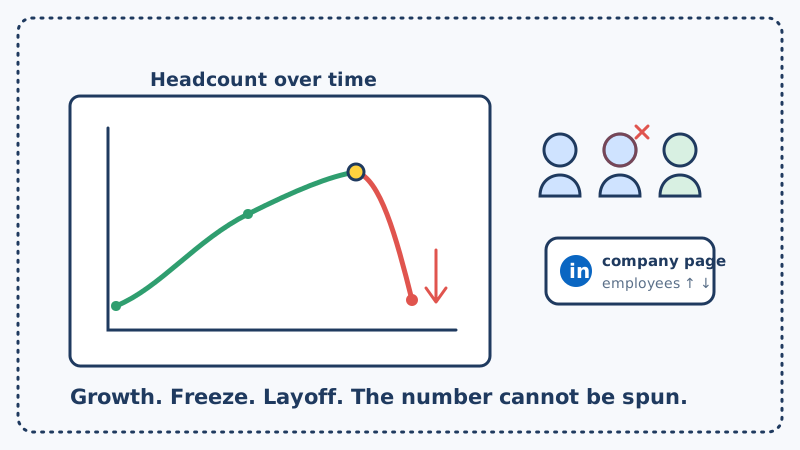
Most competitive intelligence obsesses over the story a company tells: the launch posts, the funding announcements, the polished pricing page. But there is a quieter number that is harder to spin, and it sits in plain sight on every competitor’s LinkedIn company page. It is their employee count.
Headcount is one of the few metrics a company cannot easily fake. People join, people leave, and the number moves. Watch it closely enough, broken down by department, and you can see a competitor scaling into a new market, freezing hiring before customers ever notice, or quietly shedding the very team that was supposed to support your prospect’s account. Each of those is a signal, and each one opens a window for a timed sales or recruiting play.
This post covers what headcount trends actually reveal, which departmental cuts and additions matter most, and how to build a monitoring system that tells you when the number moves instead of leaving you to notice three quarters too late.
Why Headcount Is a Signal Nobody Can Spin
A press release is written to make a company look good. An employee count is just arithmetic. That is exactly what makes it valuable.
When a competitor grows their engineering team by 40 percent in two quarters, they are building something, and it is usually a product line or a platform bet worth understanding before it ships. When their sales team doubles, they are about to get far more aggressive in your accounts. And when the number stops moving, or starts dropping, you are looking at the earliest possible warning that something is wrong long before it surfaces in a layoff headline or a churned customer.
Here is what different headcount movements tend to tell you:
- Rapid overall growth signals fresh funding being deployed, an aggressive expansion plan, and a company that is about to show up in more of your deals.
- A flat or shrinking total after a period of growth is a hiring freeze. It often precedes a repricing, a strategy reset, or a round of cuts that customers have not felt yet.
- A sharp drop in one department is the loudest signal of all. It tells you exactly where the pain is, and whose customers are now under-supported.
- A shift in the mix, for example sales shrinking while engineering holds steady, hints at a pivot from growth to survival mode.
None of these are visible in a single snapshot. They only appear when you watch the number over time and pay attention to the direction it is moving.
Which Departments to Watch and What They Mean
The total headcount is a blunt instrument. The real intelligence lives in the departmental breakdown, which LinkedIn exposes on most company pages. Focus your attention on the functions whose growth or collapse actually changes a deal.
Sales and customer success. This is the highest-intent breakdown for outbound. When a competitor’s customer-facing headcount drops, their existing accounts are being spread across fewer people, support quality slips, and renewals get shaky. A shrinking success team is one of the clearest churn-risk signals you can find, because the customers those people managed are now effectively orphaned.
Engineering and product. A surge here means a competitor is investing in the roadmap, and often foreshadows a launch that will reshape how you position against them. A freeze or decline means the opposite: the product your prospect depends on may be about to stagnate.
Recruiting and talent. This one is a leading indicator for everything else. Companies staff up recruiters before a hiring wave and cut them first when they are about to slow down. A shrinking talent team today predicts a flat headcount tomorrow.
Leadership and management. A thinning management layer, or a sudden concentration of departures at the director level, often signals internal turmoil that will ripple into how aggressively a competitor defends its base.
The signals show up in predictable places: the LinkedIn company page headcount and its department filters, the steady stream of profiles quietly switching a competitor to their “past” employer, and the competitor’s own careers page expanding or emptying out. The challenge is that none of these will email you when they change. You have to be watching.
Building a Headcount Monitoring System
Checking a competitor’s LinkedIn page by hand once a quarter does not work. The change you care about is a slow trend, and by the time it is obvious to the naked eye, the window to act on it has usually closed. You need a system that samples the number continuously and flags the movement.
Step 1: Build your watch list
List your top five to ten competitors. For each, note the current total headcount and the counts for the departments that matter most to you, typically sales, customer success, engineering, and recruiting. This baseline is what every future reading gets compared against. Public LinkedIn company data gives you almost all of it for free.
Step 2: Monitor the pages where the number lives
A competitor’s LinkedIn company page and their careers page are the two surfaces that reveal headcount change first. When the employee count ticks down or a careers page that listed 30 open roles suddenly lists 4, something has shifted. Automated website change monitoring catches those edits the day they happen instead of the quarter you happen to look. This is precisely what CAM is built to do: it watches the specific pages that carry these signals and alerts you the moment the content changes, filtering out formatting noise so you only hear about movement that means something.
Step 3: Track the trend, not the snapshot
A single reading is noise. The intelligence is in the slope. Log each reading over time so you can see a department climbing, plateauing, or falling off a cliff. CAM’s website and competitor monitoring keeps a running history of the pages you watch, so a gradual hiring freeze shows up as a visible flat line rather than a number you have to remember from three months ago.
Step 4: Route each signal to a play
A signal that lands in an inbox and dies there is worthless. Decide in advance what happens when a specific movement fires:
- Competitor’s sales or success headcount drops, notify the reps who compete against them and trigger a check-in with at-risk prospects on that account.
- A hiring freeze appears across the board, prepare a “things may be changing over there” angle for pipeline accounts currently using them.
- Engineering headcount surges, brief your product marketing team so your positioning is ready before the competitor’s launch lands.
Step 5: Move while the window is open
Headcount signals decay. A competitor that is bleeding its success team today will either recover or collapse within a quarter or two, and either way the moment of maximum openness for their customers is now. When the signal fires, the follow-up has to be fast and personal. Tools like Kali help your team turn a fresh headcount signal into a booked meeting before the competitor stabilizes and the relationship re-forms.
What Good Outreach Looks Like
The fastest way to waste this intelligence is to be obvious about it. Telling a prospect “I noticed your vendor just laid off half their support team” is both creepy and easy to get wrong from a public number.
Use the trend as timing, not as your opening line. The headcount signal tells you when a competitor’s customers are most reachable. What earns the reply is a genuinely useful reason to talk: a relevant benchmark, a shift in the category worth comparing notes on, or a specific insight for teams in their situation. Let the data pick the moment and let your value carry the message.
Keep the outreach clean, too. If you are about to run a sequence into a competitor’s customer base while the window is open, validate the list first so a bounce does not cost you the timing you worked to find. Running contacts through Scrubby before a time-critical send protects your deliverability at exactly the moment it matters most.
The Takeaway
Funding rounds and product launches are the signals everyone watches. A competitor’s employee count is the one that is far harder to spin and often far more revealing. Growth tells you where they are investing. A freeze tells you they are in trouble before their customers feel it. A departmental collapse tells you exactly whose accounts are now in play.
Track the number as a trend rather than a snapshot, route each movement to a specific play, and move while the window is open. The data is sitting on every competitor’s public page. The advantage goes to whoever builds the system to notice the direction it is heading first.