
How to See Competitor Outreach Activity on LinkedIn
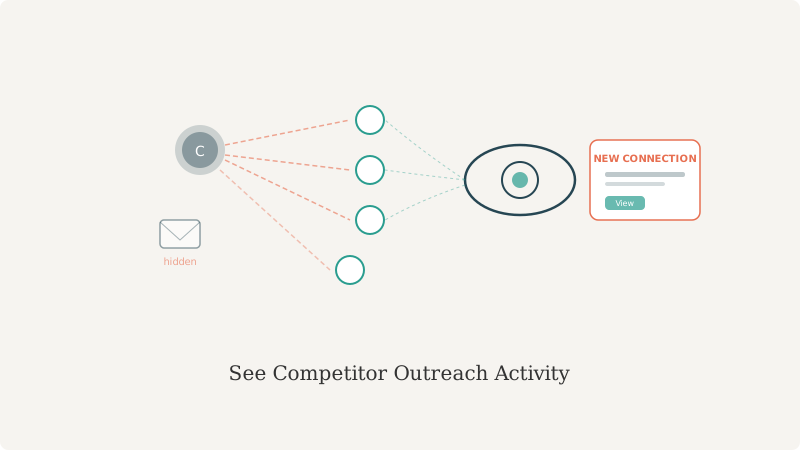
You know your competitors are running LinkedIn outreach. Their SDRs are connecting with your prospects. You just can’t see it happening.
LinkedIn doesn’t send you notifications when a competitor’s sales rep connects with one of your accounts. You don’t get reports on competitor outreach patterns. There’s no native tool that says “competitor X connected with 12 new accounts in your vertical this week.”
But the signals are visible. You just have to know where to look.
This guide walks through three manual methods that give you visibility into competitor LinkedIn activity. We’ll also show you where those methods fall short and what that gap looks like when you automate it.
Method 1: Monitor Mutual Connections
The easiest method: if you’re already connected to someone at a prospect’s account, and a competitor’s sales rep connects with that person, you’ll see it.
How to do it:
- Go to your LinkedIn connections
- Sort by company (use LinkedIn’s filter: Companies you follow)
- Pick a target account where you have connections
- Click the account name and view all employees
- Look at the “how you’re connected” indicator
- New indicators showing competitor reps mean new competitor connections
Why it works: LinkedIn’s “how you’re connected” feature shows mutual connections. When a competitor rep connects with someone at your target account, the mutual connection indicator lights up.
Why it’s limited: You only see competitor activity with accounts where you already have connections. If a competitor connects with an account you haven’t touched yet, you won’t see it. And this method takes 15-20 minutes per account to check manually.
Method 2: Track Competitor LinkedIn Activity Feeds
Most competitor sales reps keep their LinkedIn activity somewhat public. You can monitor their activity feeds to infer outreach patterns.
How to do it:
- Find the top 5-10 competitor sales reps on LinkedIn (search “[Competitor name] sales”)
- Add them to a LinkedIn list called “Competitor Monitoring”
- Check their activity feed weekly for: new connections, job changes, post activity
- If a competitor rep’s connection count jumps 30-40 in a week, they’re running a campaign
- If they’re posting about enterprise sales, they’re entering that segment
Why it works: Sales reps’ activity feeds show connection surges, posting patterns, and engagement with industry accounts.
Why it’s limited: This is inference, not direct data. You can tell when they’re outreaching (connection surge) but not who they’re targeting unless you cross-reference with account research.
Method 3: Sales Rep Network Spotting
Your own sales team knows when competitors are in the mix. You can systematize this knowledge.
How to do it:
- During your weekly team sync, ask: “Which competitors showed up this week?”
- Log the accounts where competitors appeared
- Cross-reference those accounts: who did they connect with? what message did they send?
- Build a manual “competitor activity log” in a spreadsheet
- Patterns emerge over weeks: segments they’re targeting, timing of their pushes, message angles
Why it works: Your sales team is closest to the competitor activity. They see inbound messages, hear the objections, notice when competitors are pushing a new segment.
Why it’s limited: This requires active participation every week. It’s anecdotal, not systematic. You’re capturing maybe 20% of competitor activity.
What These Methods Miss
All three manual methods share a structural blindness: they only show competitor outreach to accounts you already know about.
If a competitor is entering a new vertical you’re not in yet, you won’t see it. If they’re connecting with accounts you’ve never touched, the signals are invisible. If they’re running a campaign in a segment you don’t watch, you miss it entirely.
Here’s what actually happens:
- Competitor runs a 3-week LinkedIn campaign targeting healthcare SMBs
- Your sales team doesn’t have healthcare accounts yet
- The campaign finishes, competitor closes deals
- 2 months later, you hear from a prospect: “We already committed to [Competitor] after they connected with us on LinkedIn in March”
- You’re 2 months late to the game
The visibility gap costs you deals. Specifically, it costs you the accounts where competitors win before you even know they’re competing.
What LinkedIn Connection Intelligence Actually Captures
This is where GetCAM comes in. LinkedIn Connection Intelligence is the systematic version of the three manual methods above, but applied at scale and in real-time.
Instead of manually checking mutual connections, tracking competitor feeds, or collecting anecdotes from your sales team, GetCAM monitors the LinkedIn connection activity of your competitors’ sales teams automatically.
Every Monday, you get a report showing:
- Which named accounts competitors connected with last week
- Which titles they targeted (SDR-level? Decision-maker? Champion?)
- Which of your own accounts they’re targeting (defense alert)
- Connection pattern surges by vertical (new segment expansion)
- Which competitor is most active in your ICP
You’re not getting the message they sent. You’re getting the fact that they sent it and to whom they sent it. That’s the signal that lets you act.
Three Ways the Visibility Changes Everything
1. Account defense: When you see a competitor connected with someone at your customer account, you immediately know to book a QBR and strengthen the relationship. You’re not reacting after they lose the customer; you’re intervening while they’re still open to your pitch.
2. Segment expansion detection: When a competitor suddenly surges their LinkedIn connections into healthcare accounts, you see it happening. You can launch your own campaign into that segment before they own it.
3. Pipeline timing: When you see a competitor connecting with a prospect you’re also targeting, you know they’re moving faster than you thought. You adjust your outreach timing accordingly.
Manual methods give you one or two of these. LinkedIn Connection Intelligence gives you all three, across all your targets, automatically.
FAQ
Can you see what your competitors are actually saying in LinkedIn messages?
No. LinkedIn doesn’t expose message content. What you can see is that a competitor reached out (via the connection) and to whom they reached out. The message itself is private.
Does LinkedIn notify you when a competitor connects with your prospect?
No. LinkedIn has no competitive alerting feature. That’s why this visibility gap exists. GetCAM monitors competitor connection activity on your behalf so you don’t have to.
What is LinkedIn Connection Intelligence?
LinkedIn Connection Intelligence is monitoring the LinkedIn connection activity of your competitors’ sales teams. It shows you which accounts they’re connecting with, when they’re connecting, and what pattern of outreach emerges. It’s the automated, real-time version of manually checking competitor LinkedIn feeds.
How often does competitor LinkedIn activity change?
Sales reps’ outreach patterns shift weekly. By Friday, you can see the pattern from Monday’s new connections. GetCAM captures this weekly so you can react with enough time to respond.
Is monitoring competitor LinkedIn activity legal?
Yes. Connection activity is public data on LinkedIn. Any monitoring based on public data is legal and ethical. You’re not hacking accounts or scraping private messages. You’re reading publicly visible information and looking for patterns.
Get visibility into competitor LinkedIn activity. | Book a walkthrough
Ready to see competitor activity?
See which accounts your competitors are targeting on LinkedIn before you cold-call them.
Book a Walkthrough